How to Check If a JWT Token Is Expired (Without a Library)
Check JWT expiry online or in code — no library needed. Decode the exp claim, avoid the seconds vs milliseconds trap, and handle token refresh correctly.
You get a 401 from your API and the first thing you reach for is your JWT. Is it expired? You could decode it with a library, set up verification, install dependencies — or you could just check the exp claim directly. It takes three lines of code, no packages required.
This post covers exactly how to check JWT expiry without a library, in JavaScript, Python, and from the command line — plus the single most common mistake (comparing seconds against milliseconds) that makes every token look valid forever.
TL;DR: Paste your JWT into GoGood.dev JWT Decoder — it shows the
expclaim as a human-readable timestamp and flags the token as Expired if it has passed. For code:payload.exp < Math.floor(Date.now() / 1000).
What controls JWT expiry
JWT expiry is set by the exp claim in the token payload. It’s a Unix timestamp — the number of seconds since January 1, 1970 UTC — after which the token must not be accepted.
{
  "sub": "usr_4d5e6f7g",
  "exp": 1741651200,
  "iat": 1741564800
}
To check expiry, you decode the payload (it’s just base64url), read exp, and compare it against the current time. No signature verification required for this check — you’re just reading a claim value.
Important: Reading
expwithout verifying the signature tells you whether the token claims to be valid. For production auth, always verify the signature server-side. Expiry checks on the client side are for UX (redirecting to login before a request fails) — never for security.
Check JWT expiry online
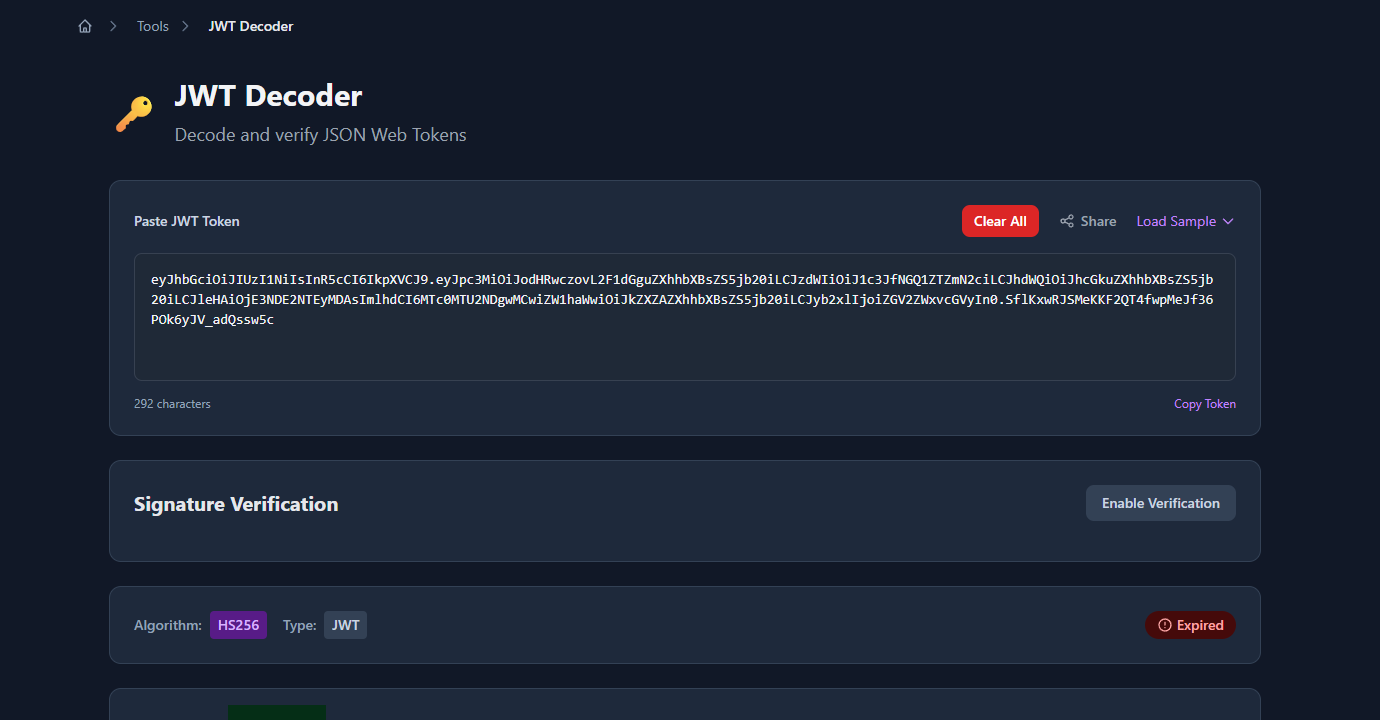
The fastest way to check a token during debugging is to paste it into GoGood.dev JWT Decoder. It decodes the payload instantly and shows an Expired badge if the current time is past exp:
Scroll to the claims panel and the exp row shows the Unix timestamp converted to a human-readable local datetime, plus a relative time like “367 days ago”:
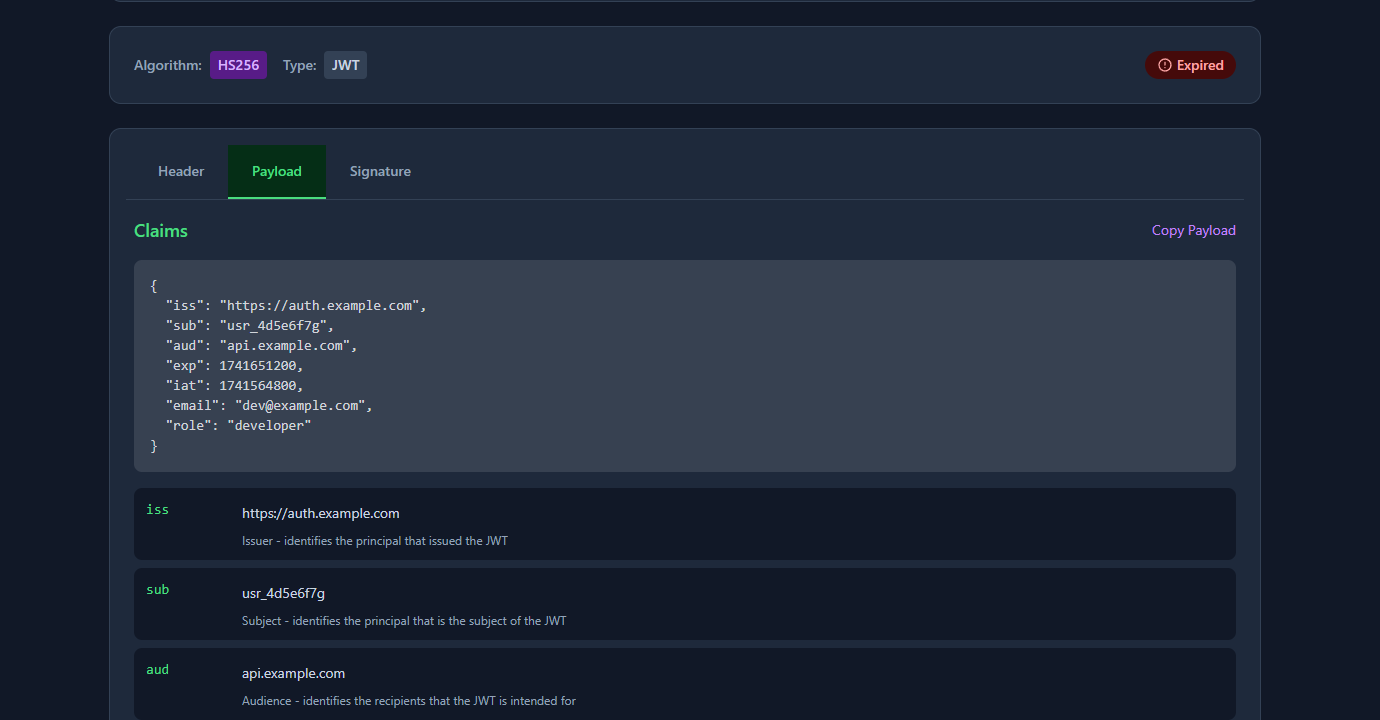
This is useful when debugging a 401 — paste the token, check exp, and you know immediately whether expiry is the cause.
How to check JWT expiry in JavaScript
The three-line check
function isExpired(token) {
  const payload = JSON.parse(atob(token.split('.')[1].replace(/-/g, '+').replace(/_/g, '/')));
  return payload.exp < Math.floor(Date.now() / 1000);
}
Usage:
const token = 'eyJhbGci...';

if (isExpired(token)) {
  console.log('Token is expired — redirect to login');
} else {
  console.log('Token is valid');
}
Why Math.floor(Date.now() / 1000)?
Date.now() returns milliseconds. JWT exp is in seconds. You must divide by 1000. This is the most common mistake — see the common problems section below.
Read the expiry date
function getExpiry(token) {
  const payload = JSON.parse(atob(token.split('.')[1].replace(/-/g, '+').replace(/_/g, '/')));
  return new Date(payload.exp * 1000); // multiply by 1000 to convert seconds → ms
}

console.log(getExpiry(token).toISOString()); // "2026-03-11T00:00:00.000Z"
Check with a buffer (clock skew)
In distributed systems, clocks drift. Add a small buffer so tokens aren’t rejected due to minor time differences between servers:
function isExpiredWithBuffer(token, bufferSeconds = 30) {
  const payload = JSON.parse(atob(token.split('.')[1].replace(/-/g, '+').replace(/_/g, '/')));
  return payload.exp < Math.floor(Date.now() / 1000) + bufferSeconds;
}
This returns true (expired) if the token expires within the next 30 seconds — useful for triggering a refresh before the token actually expires.
How to check JWT expiry in Python
import base64
import json
import time

def is_expired(token: str) -> bool:
    # Decode the payload (middle segment)
    payload_b64 = token.split('.')[1]
    # Add padding if needed
    payload_b64 += '=' * (4 - len(payload_b64) % 4)
    payload = json.loads(base64.urlsafe_b64decode(payload_b64))
    return payload['exp'] < time.time()

def get_expiry(token: str):
    payload_b64 = token.split('.')[1]
    payload_b64 += '=' * (4 - len(payload_b64) % 4)
    payload = json.loads(base64.urlsafe_b64decode(payload_b64))
    from datetime import datetime, timezone
    return datetime.fromtimestamp(payload['exp'], tz=timezone.utc)
Python’s time.time() returns a float in seconds, so no division needed — unlike JavaScript.
How to check JWT expiry on the command line
Decode and read exp with jq:
echo "eyJhbGci...your.token.here" \
  | cut -d. -f2 \
  | base64 --decode 2>/dev/null \
  | jq '{exp, iat, sub}'
Convert exp to a human-readable date:
# macOS
date -r 1741651200

# Linux
date -d @1741651200

# Output: Tue Mar 11 00:00:00 UTC 2025
One-liner check (exit 1 if expired):
TOKEN="eyJhbGci...your.token.here"
EXP=$(echo "$TOKEN" | cut -d. -f2 | base64 --decode 2>/dev/null | jq -r '.exp')
NOW=$(date +%s)

if [ "$EXP" -lt "$NOW" ]; then
  echo "Token expired at: $(date -d @$EXP 2>/dev/null || date -r $EXP)"
  exit 1
fi
echo "Token valid for $((EXP - NOW)) seconds"
Common problems when checking JWT expiry
“Every token shows as valid even though it should be expired”
Almost certainly the milliseconds/seconds mismatch. If you compare payload.exp against Date.now() directly:
// ❌ Wrong — Date.now() is ~1.7 trillion ms; exp is ~1.7 billion seconds
// So exp is always "less than" Date.now() ... wait, that means always expired?
// Actually the opposite: exp * 1000 > Date.now() for distant future dates

if (payload.exp < Date.now()) { /* wrong */ }
Actually this will show tokens as expired immediately, since 1741651200 < 1741651200000. Divide Date.now() by 1000:
// ✅ Correct
if (payload.exp < Math.floor(Date.now() / 1000)) { /* expired */ }
“My base64 decode throws an error”
JWT uses base64url encoding, which replaces + with - and / with _, and strips = padding. Standard atob() doesn’t handle these characters. Fix:
const base64 = token.split('.')[1]
  .replace(/-/g, '+')
  .replace(/_/g, '/');
const payload = JSON.parse(atob(base64));
“The token has no exp claim”
Some tokens are issued without an expiry — they’re valid indefinitely unless revoked. If payload.exp is undefined, your expiry check should treat the token as non-expiring (or reject it, if your policy requires expiry):
if (!payload.exp) {
  // No expiry set — treat as valid or reject per your policy
  return false; // not expired
}
“Clock skew causes valid tokens to fail”
If your check runs on the client and the user’s device clock is a few seconds behind the server, a freshly issued token might look expired. Add a small buffer (30–60 seconds) to absorb clock drift.
FAQ
How do I check JWT expiry online for free?
Paste the token into gogood.dev/tools/jwt-decoder. It decodes the exp claim, converts it to a readable timestamp, and shows an “Expired” badge if the current time is past the expiry. No login, no data sent to a server.
Is it safe to check JWT expiry on the client side?
For UX purposes (redirecting to login, showing “session expired” messages) — yes. For security decisions (granting access to resources) — no. A client-side expiry check is easy to bypass. Always verify the token server-side, including signature and exp.
What does it mean if a JWT has no exp claim?
The token never expires based on time alone. It can only be invalidated by revoking it in a server-side store. Non-expiring tokens are a security risk — if one is stolen, it’s valid forever. Best practice is to always set exp.
Why is exp stored as a number instead of a date string?
Unix timestamps are compact, timezone-independent, and trivially comparable with < and >. ISO date strings require parsing and timezone handling. The JWT spec (RFC 7519) defines exp as a NumericDate — seconds since the Unix epoch — for exactly these reasons.
How do I automatically refresh a token before it expires?
Check the token’s remaining lifetime on each request and trigger a refresh when it drops below a threshold (e.g. 5 minutes):
function shouldRefresh(token, thresholdSeconds = 300) {
  const payload = JSON.parse(atob(token.split('.')[1].replace(/-/g, '+').replace(/_/g, '/')));
  const remaining = payload.exp - Math.floor(Date.now() / 1000);
  return remaining < thresholdSeconds;
}
Checking JWT expiry is a two-step operation: decode the base64url payload, read the exp claim, compare against the current Unix time in seconds. The only trap is the milliseconds/seconds unit mismatch. Everything else is straightforward.
For related reading: JWT Claims Explained with Real Examples covers all seven registered claims including exp, nbf, and iat. Reading JWT Payloads in the Browser — No Code Needed covers the quickest ways to inspect tokens during development.