How to Decode Base64 in the Browser
How to decode Base64 in the browser — using atob(), the DevTools console, online tools, and handling Base64url. Includes fixes for the most common decode errors.
You’re looking at a Base64 string — maybe from a JWT payload, an API response, a data URI, or a config value — and you need to know what’s inside it. Decoding Base64 in the browser is a one-liner, but there are enough edge cases (atob() doesn’t handle Base64url, binary data isn’t UTF-8) that developers hit errors more often than they should.
This post covers every way to decode Base64 in the browser: the built-in atob() function, the DevTools console approach, the Node.js Buffer equivalent, and the online option when you want the result without writing any code. It also covers the two most common errors and exactly how to fix them.
TL;DR: In the browser:
atob('your-base64-string'). For Base64url (JWT payloads): replace-with+and_with/first. To decode instantly without code: paste into GoGood.dev Base64 Encoder in Decode mode.
The browser built-in: atob()
Every browser has atob() — it decodes a Base64 string to a binary string. It’s available globally, no imports needed.
const encoded = 'SGVsbG8sIGRldmVsb3BlciE=';
const decoded = atob(encoded);
console.log(decoded); // "Hello, developer!"
atob() returns a binary string — each character corresponds to one byte of the decoded data. For text content (JSON payloads, credentials, configuration), this is the same as a UTF-8 string for most common characters. For binary data (images, files), it’s raw bytes.
Decode a JSON payload:
const b64 = 'eyJ1c2VyX2lkIjoidXNyXzRkNWU2ZjdnIiwicm9sZSI6ImFkbWluIn0=';
const json = JSON.parse(atob(b64));
console.log(json);
// { user_id: "usr_4d5e6f7g", role: "admin" }
Check what’s in a data URI:
// Extract the Base64 part from a data URI
const dataUri = 'data:text/plain;base64,SGVsbG8gV29ybGQ=';
const b64Part = dataUri.split(',')[1];
const content = atob(b64Part);
console.log(content); // "Hello World"
Decode in the browser DevTools console
Open DevTools (F12 or Cmd+Option+J), go to the Console tab, and paste directly:
atob('SGVsbG8sIGRldmVsb3BlciE=')For a JSON payload, chain JSON.parse() to get the object:
JSON.parse(atob('eyJ1c2VyX2lkIjoidXNyXzRkNWU2ZjdnIiwicm9sZSI6ImFkbWluIn0='))The console pretty-prints the object, which is more readable than a raw string. This is the fastest approach when you’re already in DevTools debugging something.
Decode Base64 online (no code)
For quick one-off decodes — especially when you just want to read a payload and don’t want to open a terminal — paste the Base64 string into GoGood.dev Base64 Encoder and switch to Decode mode:
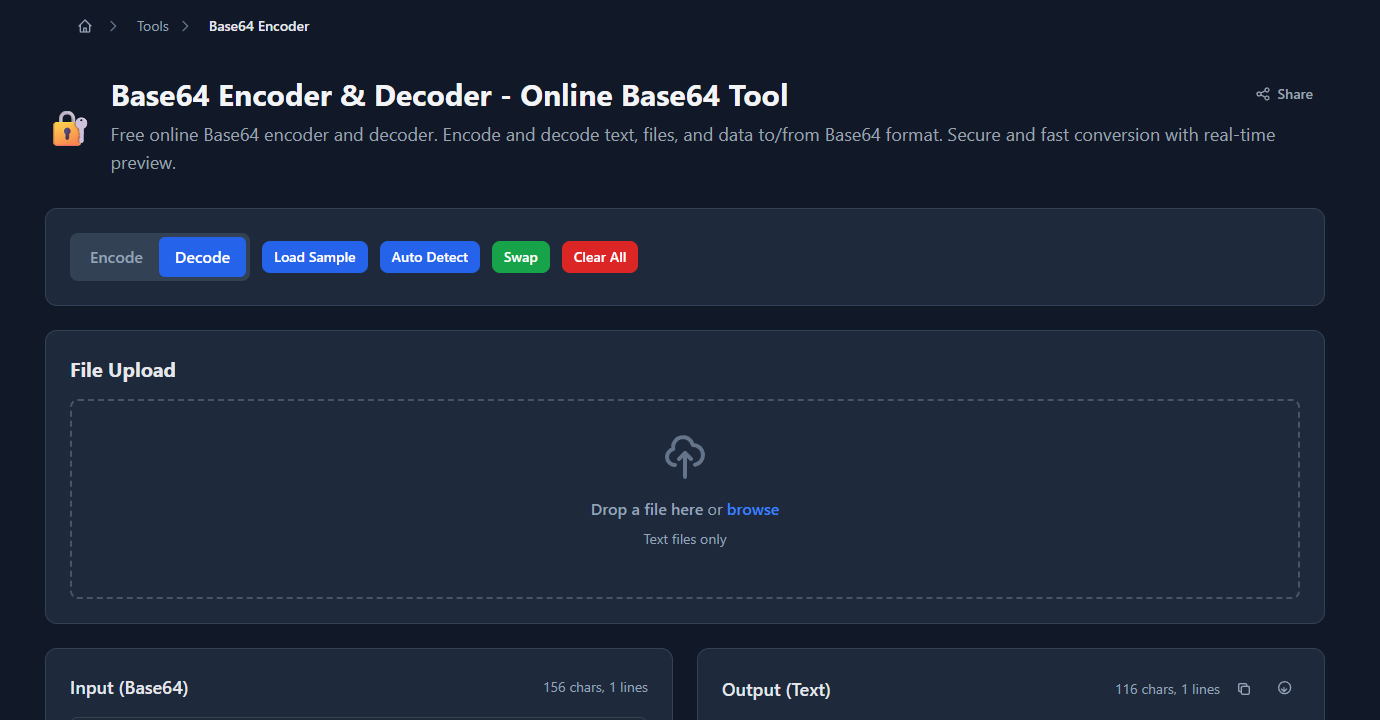
The decoded output appears immediately in the right panel. If the input is valid JSON, it’s formatted for readability:
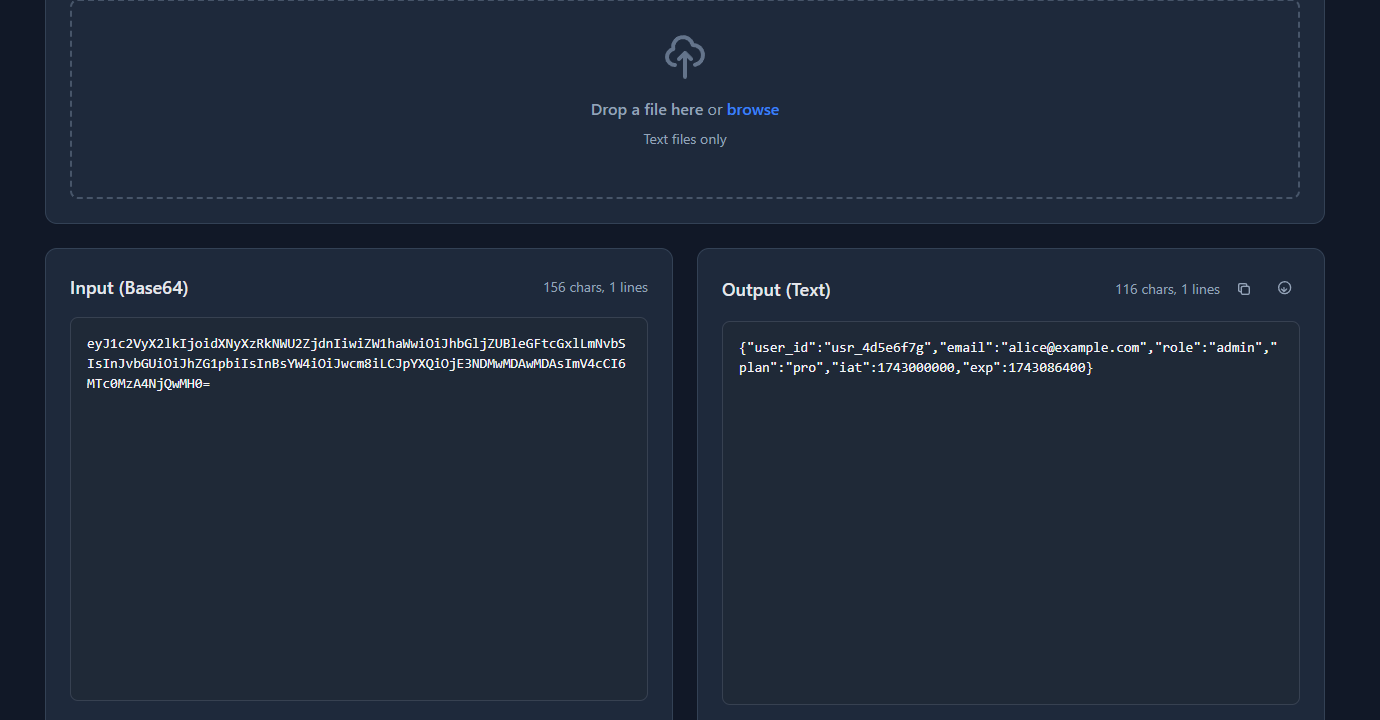
Everything runs in the browser — nothing is sent to a server. Safe to use with dev and staging tokens.
Decode Base64url (JWT payloads and URL-safe strings)
Standard atob() handles standard Base64, which uses + and / in its alphabet. Base64url — used in JWTs and URL-safe contexts — replaces + with - and / with _, and usually omits the = padding.
If you call atob() directly on a Base64url string, you’ll get an InvalidCharacterError.
Fix: convert Base64url to standard Base64 first:
function decodeBase64Url(b64url) {
  // Replace URL-safe chars and restore padding
  const b64 = b64url
    .replace(/-/g, '+')
    .replace(/_/g, '/')
    .padEnd(b64url.length + (4 - b64url.length % 4) % 4, '=');
  return atob(b64);
}

// Decode a JWT payload
const token = 'eyJhbGciOiJIUzI1NiJ9.eyJzdWIiOiJ1c3JfMTIzIiwicm9sZSI6ImFkbWluIn0.signature';
const payload = JSON.parse(decodeBase64Url(token.split('.')[1]));
console.log(payload); // { sub: "usr_123", role: "admin" }
The padEnd call restores the = padding that Base64url typically strips. Without it, strings whose length isn’t a multiple of 4 will cause a parse error.
Decode Base64 in Node.js
In Node.js, use Buffer instead of atob():
// Decode to a UTF-8 string
const decoded = Buffer.from('SGVsbG8sIGRldmVsb3BlciE=', 'base64').toString('utf8');
// "Hello, developer!"

// Decode Base64url
const decoded = Buffer.from('SGVsbG8sIGRldmVsb3BlciE', 'base64url').toString('utf8');

// Decode to raw bytes (for binary data like images)
const buffer = Buffer.from(encodedImageData, 'base64');
// buffer is a Buffer of raw bytes — write it to a file, pass to an image API, etc.
Buffer.from() handles standard Base64 and Base64url natively with the second argument. The 'utf8' argument to toString() interprets the decoded bytes as UTF-8 text. For binary data, omit toString() and work with the raw Buffer.
Handling binary data correctly
atob() returns a binary string — each character represents one byte. For text content, this works fine. For binary content (images, PDFs, compressed data), you need to work with the raw bytes, not interpret them as a string.
Convert atob() output to a Uint8Array (for binary data in the browser):
function base64ToBytes(b64) {
  const binary = atob(b64);
  const bytes = new Uint8Array(binary.length);
  for (let i = 0; i < binary.length; i++) {
    bytes[i] = binary.charCodeAt(i);
  }
  return bytes;
}

// Create a Blob from decoded binary data
const bytes = base64ToBytes(encodedImageData);
const blob = new Blob([bytes], { type: 'image/png' });
const url = URL.createObjectURL(blob);
Modern browsers also support the TextDecoder API for converting binary strings to proper Unicode:
const binary = atob(encodedUtf8Text);
const bytes = Uint8Array.from(binary, c => c.charCodeAt(0));
const text = new TextDecoder('utf-8').decode(bytes);
Use this when decoding Base64-encoded text that contains non-ASCII characters (accented characters, CJK, emoji). Plain atob() on such text returns garbled output.
Common Base64 decode errors and fixes
InvalidCharacterError: The string to be decoded contains invalid characters
Two causes:
-
Base64url input — the string contains
-or_. Fix: replace them before callingatob():atob(str.replace(/-/g, '+').replace(/_/g, '/')) -
Padding missing — the string length isn’t a multiple of 4. Fix: add
=padding:const padded = str + '='.repeat((4 - str.length % 4) % 4); atob(padded);
Decoded text looks garbled (é instead of é, ’ instead of ')
The decoded data is UTF-8, but you’re reading it as Latin-1. atob() doesn’t know about character encodings — it returns a binary string. If the original text contained non-ASCII characters, you need to re-interpret the bytes as UTF-8:
function decodeBase64Utf8(b64) {
  const binary = atob(b64);
  const bytes = Uint8Array.from(binary, c => c.charCodeAt(0));
  return new TextDecoder('utf-8').decode(bytes);
}
atob is not defined in Node.js
atob() is a browser global. In Node.js (before v16), it doesn’t exist. Use Buffer:
// Node.js
const decoded = Buffer.from(encoded, 'base64').toString('utf8');
Node.js v16+ added atob() as a global, but Buffer is still the canonical Node.js approach and handles more edge cases.
FAQ
How do I decode Base64 in the browser without a library?
Use the built-in atob() function: atob('your-base64-string'). For JSON payloads: JSON.parse(atob(encoded)). No libraries or imports needed — atob() is available in every browser. For Base64url strings (used in JWTs), replace - with + and _ with / before passing to atob().
How do I decode a JWT payload in the browser?
The JWT payload is the second segment (middle part between the two dots). It’s Base64url-encoded: const payload = JSON.parse(atob(token.split('.')[1].replace(/-/g, '+').replace(/_/g, '/'))). Or paste the full JWT into a JWT decoder that handles the Base64url conversion automatically.
Why does atob() throw “InvalidCharacterError”?
Either the string uses Base64url encoding (contains - or _ instead of + and /), or the padding is missing (string length not a multiple of 4). Fix: atob(str.replace(/-/g, '+').replace(/_/g, '/').padEnd(str.length + (4 - str.length % 4) % 4, '=')).
How do I decode a Base64 image in the browser?
Extract the Base64 data from the data URI: const b64 = dataUri.split(',')[1]. Then decode to bytes: const bytes = Uint8Array.from(atob(b64), c => c.charCodeAt(0)). Create a Blob: new Blob([bytes], { type: 'image/png' }). Or just set it as an <img> src directly — browsers render data URIs natively without decoding.
What’s the difference between Base64 and Base64url?
Standard Base64 uses + and / in its alphabet and = for padding. Base64url replaces + with - and / with _, and usually omits padding. Base64url was designed for use in URLs and filenames where the standard characters have special meaning. JWT tokens use Base64url; most other Base64 uses standard encoding.
Decoding Base64 in the browser comes down to atob() for standard Base64, a character substitution before atob() for Base64url, and TextDecoder for non-ASCII text. The two-minute version: paste into GoGood.dev Base64 Encoder in Decode mode and read the result.
If the decoded value is a binary file instead of text, go next to How to Convert Base64 Back to a File. If that file is a PDF from an API, jump straight to Base64 to PDF or How to Save a Base64 PDF in the Browser Without a Server.
For context on when Base64 is used and why: Base64 Encode and Decode Explained for Developers covers the full picture — what Base64 is, where it comes from, and the common mistakes to avoid.